pwa-mini: A Lightweight PWA Manager for Linux GNOME Desktop
`pwa-mini` is a lightweight command-line tool for managing Progressive Web Apps (PWA) on Linux GNOME desktops.
It has been tested on:
- AlmaLinux
- Fedora
- Red Hat Enterprise Linux
Other distributions have not been tested yet.
The project is based on the GNOME desktop environment and focuses on simplicity:
- Lightweight design
- Minimal dependencies
- Simple command-line management
- Native Linux desktop integration
No more talking, let's look at the application screenshots first.
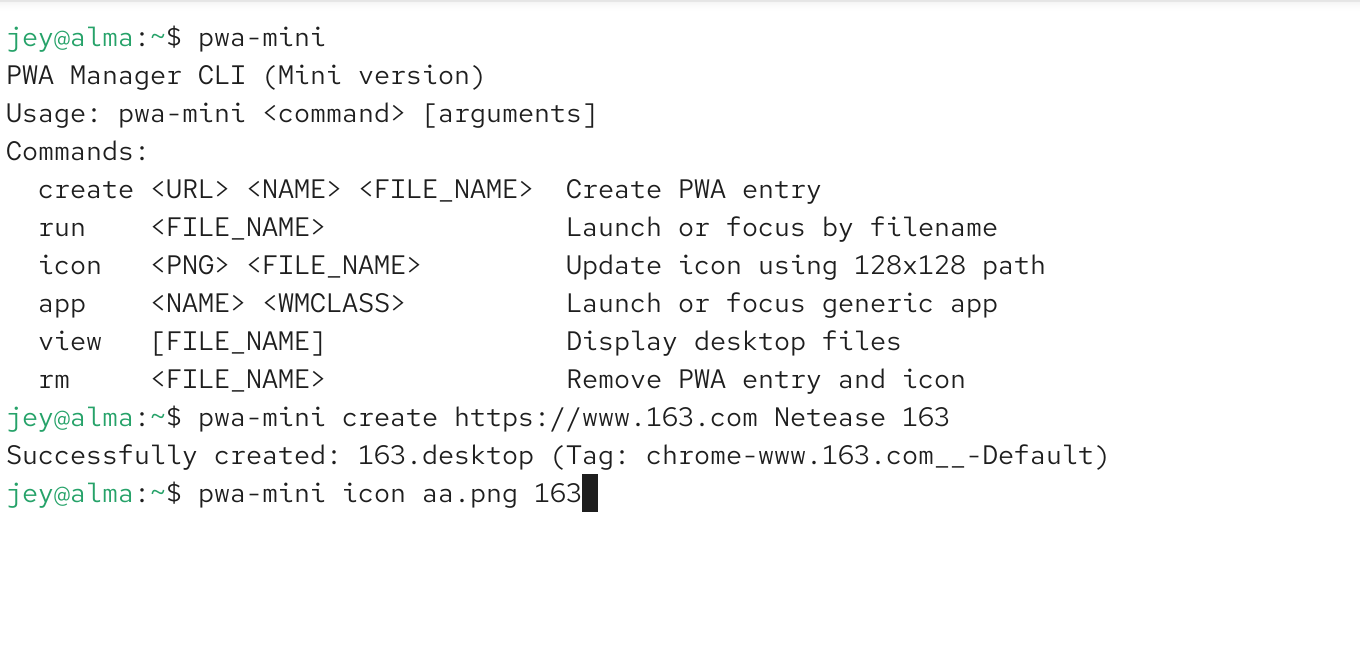
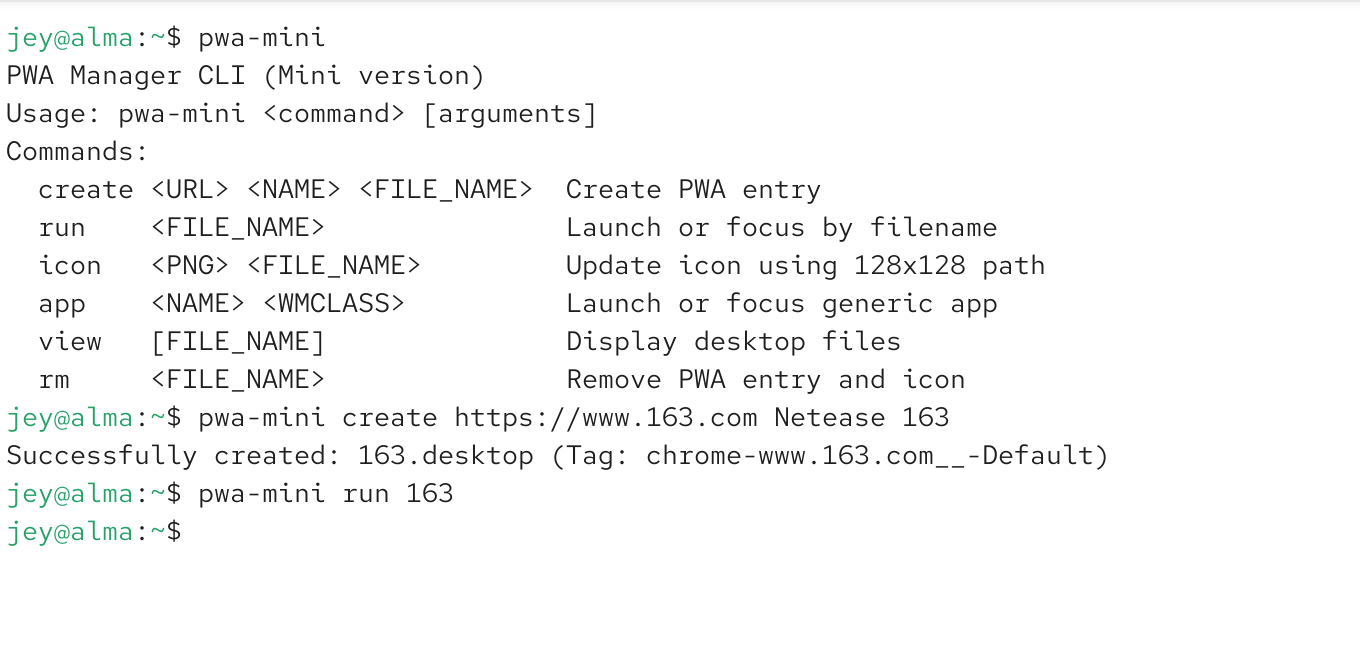
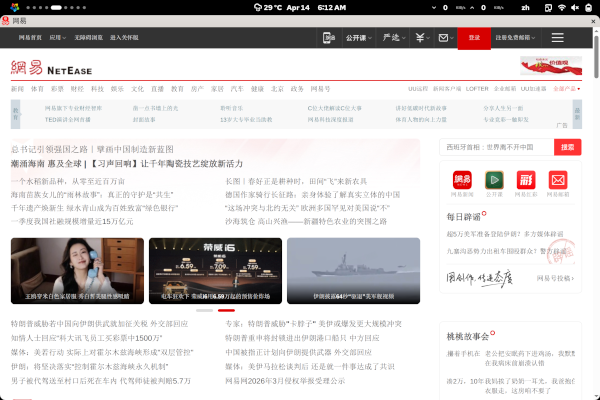
Command Execution Instructions
Run:
Output:
How to Use
Create PWA
Update Icon
Launch Application
Remove Application
Project Address
[link]https://github.com/pixel-jey/chrome-pwa-mini-desktop-manage[/link]
Clone repository:
After cloning:
Install:
After installation:
Use this command to manage PWA applications.
Chrome Cache Update
First install Google Chrome:
GNOME extension:
This extension is used for:
- Chrome PWA opens only one window
- Prevents creating multiple windows every time the application starts
- Provides a more native desktop application experience
Firefox Usage
Firefox users need to install the GNOME extension first:
Then use the PWA solution.
Chrome Path Description
Chrome RPM Stable default path:
If you use another Chrome version, create a symbolic link:
Creation Notes
The URL address must be simple.
This tool is designed for lightweight PWA creation.
It works best with:
- Simple websites
- Normal URLs
- Websites without complex security restrictions
It may not work correctly with:
- Second-level domains
- Very long URLs
- URLs with many parameters
- Websites with strict browser fingerprint protection
For complex websites, use the complete PWA application solution instead.
At this point, let me explain why I created this application.
Why Write This Tool?
Nowadays, more and more applications need to be installed.
However, many desktop applications are becoming larger and more complicated.
They often require:
- Large system packages
- Python dependencies
- Different runtime environments
- Many configuration files
For different Linux distributions, application publishing is not always easy.
Whether using:
- Flatpak
- RPM packages
- DNF packages
there are many rules and restrictions.
Maintaining compatibility requires a lot of time and effort.
Sometimes the application code itself is completely fine.
The real problem is:
- Missing dependencies
- Different library versions
- Distribution differences
- Complex installation environments
I have tried many different application packaging methods.
Eventually, I found that a simple installation script is often the most practical solution.
Because every Linux distribution has different environments.
Some packages exist in one distribution but are missing in another.
Some Python dependencies require pip.
Some applications even require:
- Manual configuration changes
- Local compilation
- Library conflict resolution
Solving these problems often requires enough experience and patience.
I have written applications using:
- Java
- Go
- Python
- PHP
- Shell
- Android
Later, I will also publish:
- Java Swing GUI utility packages
- Android APK applications
All projects follow the same design philosophy:
All source code is published on GitHub so everyone can download and experience it.
Why Choose PWA?
Linux desktop applications have a unique challenge.
If you want Linux to cover daily work and entertainment, you may need to install dozens of applications.
The reality is:
- Some packages are incomplete
- Different teams maintain different software
- Software quality is inconsistent
- Dependencies are complicated
Many modern applications actually run their main logic in the cloud.
The local application is mainly responsible for:
- Displaying the interface
- Sending API requests
- Handling user interaction
In this situation, installing a huge desktop application is not always necessary.
Web applications have many advantages:
- Tested by millions of users
- Easy to update
- Easy to maintain
- Cross-platform compatible
Chromium-based browsers currently provide one of the most complete PWA experiences on Linux.
Firefox also supports web application workflows through GNOME integration and extensions.
I believe lightweight application solutions will become increasingly important.
Many applications do not need to occupy tens of gigabytes of disk space.
Simple and lightweight solutions are often more comfortable.
Explore More
› Java Swing: Why Lightweight Desktop Applications Still Matter on Linux
› My Open Source Project: pwa Development Notes
› Firefox vs Chrome on Linux: Why Firefox Remains the Default Choice