How to Install Node.js on AlmaLinux 10
Node.js is a popular JavaScript runtime built on Chrome's V8 engine. It is widely used for web development, REST APIs, command-line tools, and modern frontend frameworks such as React, Vue, Angular, and Next.js.
This guide explains how to install the latest Node.js version on AlmaLinux 10 using the official NodeSource repository. It also covers verifying the installation, updating Node.js, uninstalling it, and troubleshooting common issues.
Prerequisites
Before installing Node.js, ensure that:
- AlmaLinux 10 is installed.
- You have a user account with sudo privileges.
- The system has Internet access.
It is also recommended to update all existing packages first.
Step 1. Check Whether Node.js Is Already Installed
Check whether Node.js already exists on your system.
Check the npm version.
If both commands return command not found, continue with the installation.Step 2. Add the NodeSource Repository
The NodeSource repository provides newer Node.js releases than the default AlmaLinux repositories.
Download and configure the repository.
Step 3. Install Node.js
Install Node.js and npm.
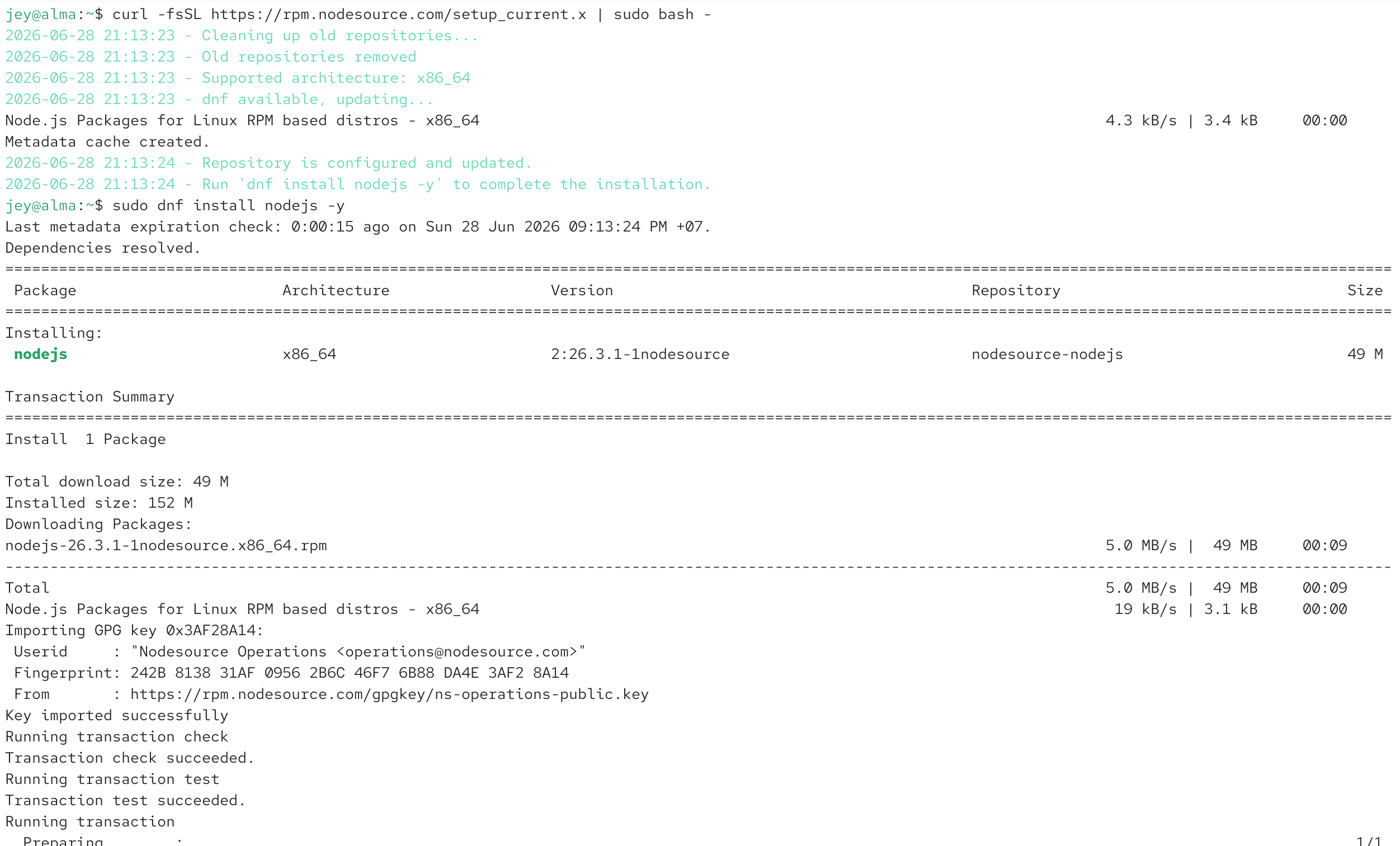
After installation finishes, Node.js and npm are ready to use.
Step 4. Verify the Installation
Verify the installed Node.js version.
Verify npm.
Example output:
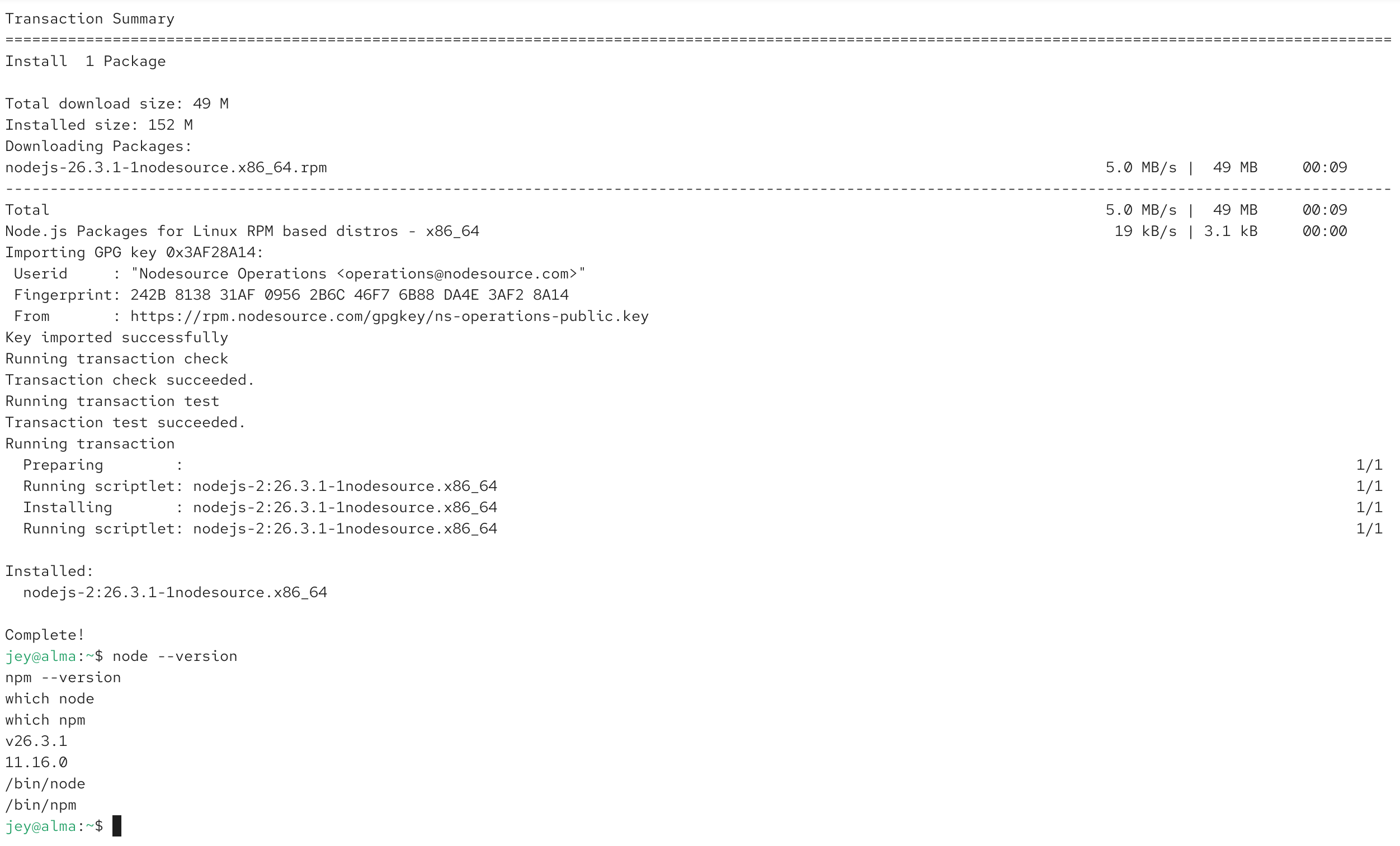
The exact version depends on the latest release available when you install Node.js.
Step 5. Create a Simple Test Program
Create a new file.
Add the following code.
javascript
Run the program.
Expected output:
This confirms that Node.js is working correctly.
Step 6. Update Node.js
Refresh package information.
Upgrade Node.js.
Step 7. Uninstall Node.js
If Node.js is no longer required, remove it.
Optionally clean unused packages.
Common Issues
node: command not found
Node.js is not installed or is not included in your PATH.
Verify the installation.
npm: command not found
Normally npm is installed together with Node.js.
Reinstall Node.js.
Repository Not Available
If the NodeSource repository cannot be reached, verify your Internet connection and firewall configuration, then rerun the repository setup command.
Frequently Asked Questions
Does Node.js include npm?
Yes.
The NodeSource package installs npm together with Node.js.
Which installation method is recommended?
Using the official NodeSource repository is recommended because it provides newer releases than the default AlmaLinux repository.
Can multiple Node.js versions be installed?
Yes.
If you need multiple versions, consider installing nvm (Node Version Manager) instead of using the system package.Conclusion
Installing Node.js on AlmaLinux 10 is straightforward using the official NodeSource repository. After installation, you can immediately begin developing JavaScript applications, REST APIs, automation scripts, and modern frontend projects.
For a complete development environment, you may also install Git, Docker, Redis, Nginx, and other development tools on AlmaLinux 10.